PDF-Dokumenten-Tracking und Statistiken
Nahtlos integriert in deinen Gmail-Alltag.
- Verfolge PDF-Aufrufe und Interaktionsmetriken
- Erhalte Echtzeit-Benachrichtigungen auf dem Handy und per E-Mail, wenn ein Empfänger dein PDF öffnet

Vertraut von +3M Nutzer




Genutzt von Profis bei







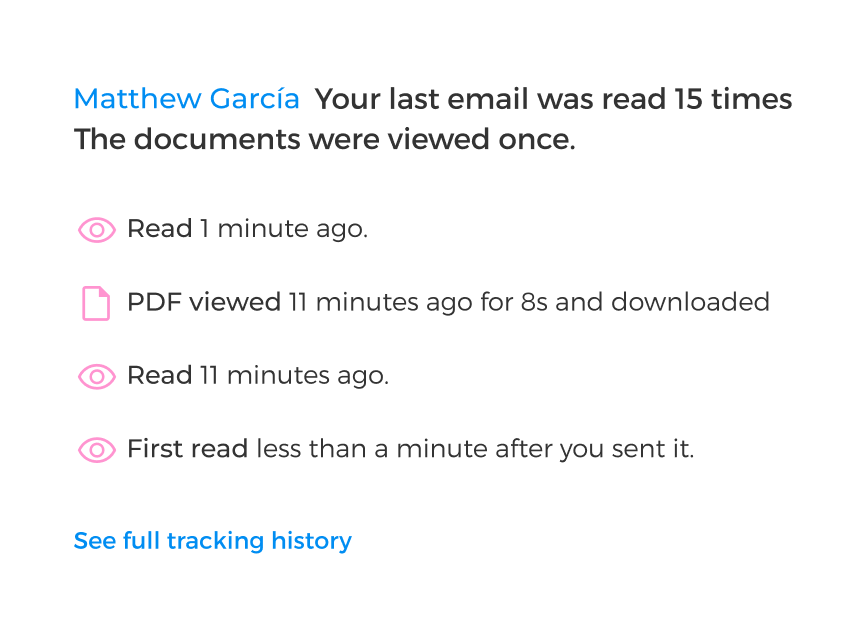
Verfolge Dokumentenöffnungen in Echtzeit
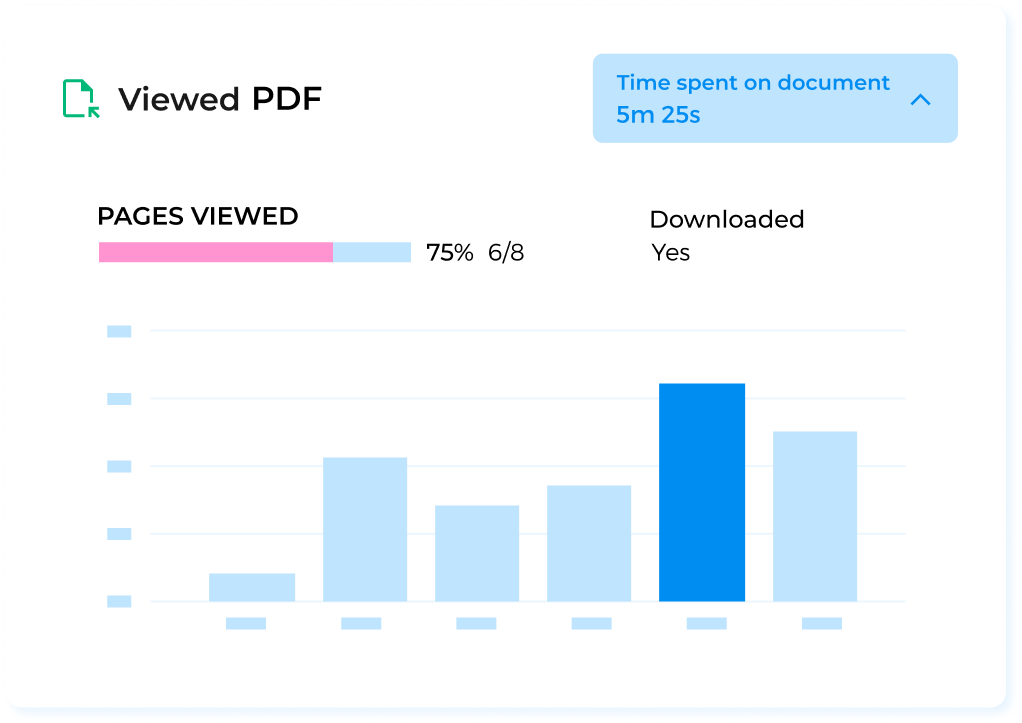
Sieh, was passiert, sobald du auf Senden klickst. Verfolge einzelne PDF-Öffnungen, Downloads und mehr mit Mailsuite.
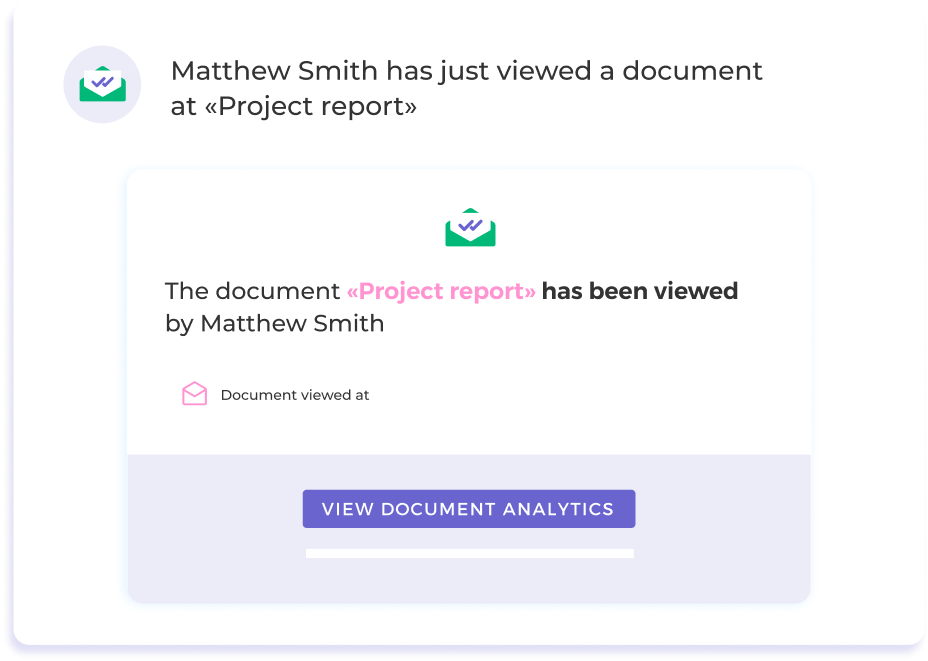
Erhalte automatische Benachrichtigungen zu PDF-Öffnungen
Bleib mit Push- und E-Mail-Benachrichtigungen auf dem Laufenden und erfahre genau, wann jemand dein PDF-Dokument öffnet.
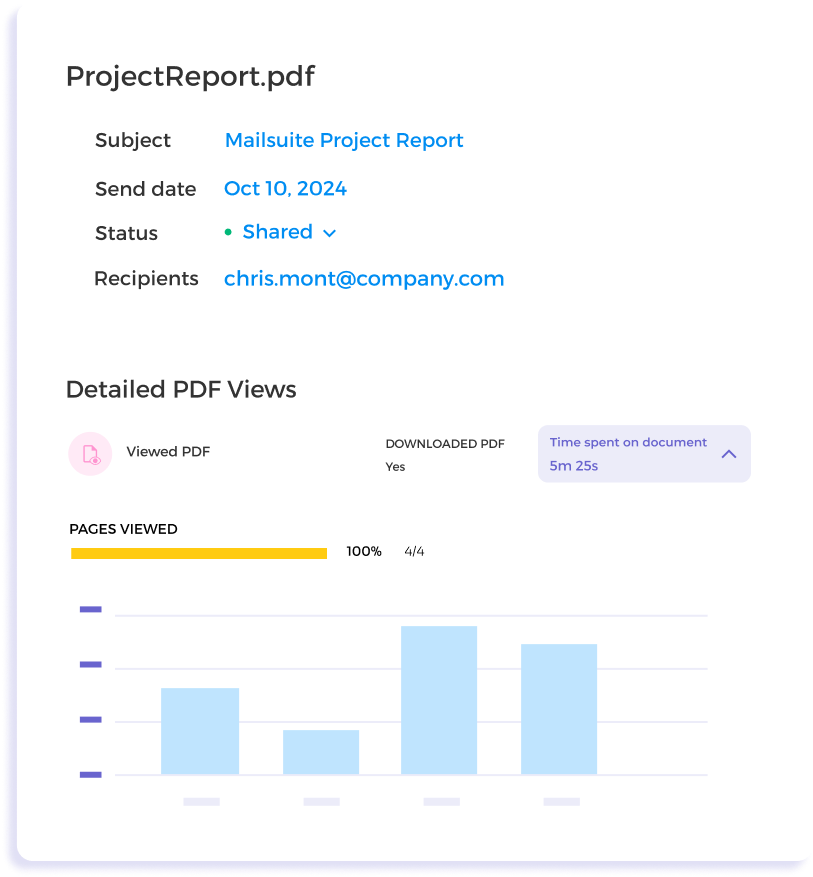
Dokumentstatistiken in einem Dashboard
Nutze erweiterte Statistiken wie Anzeigedauer und seitengenaue Daten, um zu verstehen, wie dein Publikum mit deinem Dokument interagiert.
Schnellstart-Anleitung für PDF-Tracking und Statistiken mit Mailsuite
-
Schritt 1
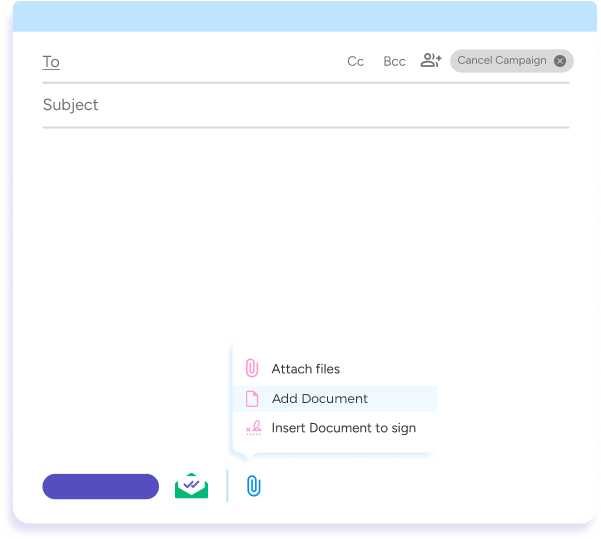
Füge dein PDF an
Verfasse eine neue E-Mail in Gmail. Um ein PDF anzuhängen und zu tracken, klicke auf „Anhängen“ und dann auf „Dokument hinzufügen“.
-
Schritt 2
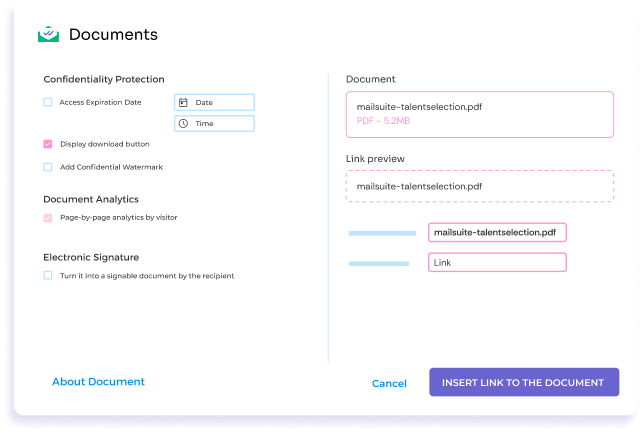
PDF-Tracking und Zugriff einrichten
Entscheide, wer auf dein PDF-Dokument zugreifen kann, wann und wie, und aktiviere seitengenaue Statistiken für jeden Empfänger.
-
Schritt 3
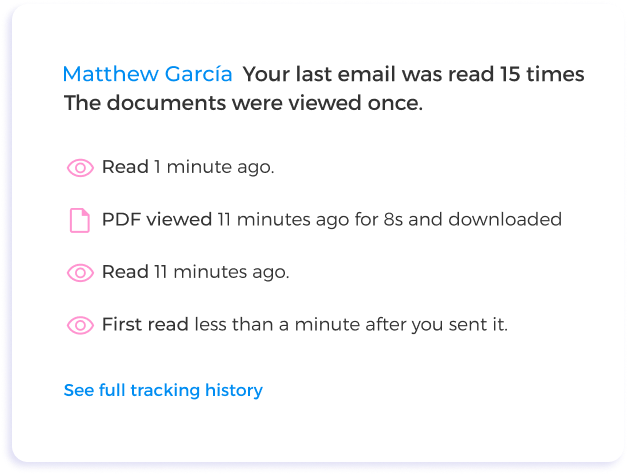
Tracking-Daten direkt in deinem Posteingang ansehen
Erhalte Push- und E-Mail-Benachrichtigungen in Echtzeit und sieh dir detaillierte Tracking-Statistiken für deine Dokumente an. Mailsuite integriert sich direkt in deinen Posteingang, damit alles an einem Ort bleibt.
Und viele weitere Funktionen
PDF-Aufrufe in Echtzeit verfolgen
Erhalte Push- oder E-Mail-Benachrichtigungen, sobald dein PDF geöffnet wird.
Detaillierte Interaktionsdaten
Sieh dir Anzeigedauer und seitengenaue Statistiken an, um zu verstehen, wie andere mit deinem Dokument interagieren.
Tracking mehrerer Dokumente
Hänge mehrere PDFs an eine E-Mail an und verfolge jedes Dokument einzeln.
Benutzerfreundliches Dashboard
Sammle alle Tracking-Daten übersichtlich in einem Dashboard.
Verbesserte Sicherheitsmaßnahmen
Kontrolliere, wer auf dein Dokument zugreift, und schütze vertrauliche Informationen.
Einfache Integration
Mailsuite läuft direkt in Gmail, sodass das PDF-Tracking deinen Arbeitsablauf nicht stört.
FAQ
Antworten auf deine Fragen zu PDF-Tracking und Statistiken
-
Wie verfolge ich ein PDF-Dokument mit Mailsuite?
Klicke in Gmail beim Verfassen einer neuen E-Mail auf die Schaltfläche „Erweitertes Dokument“ in den Mailtrack-Optionen oder nutze die Anhängen-Schaltfläche im Gmail-Editor. Wähle das PDF aus oder lade es hoch, das du verfolgen möchtest. In einem Pop-up kannst du die Tracking-Einstellungen anpassen: Link umbenennen, Linkstil festlegen, PDF signierbar machen, Downloadrechte festlegen und ein Ablaufdatum hinzufügen -
Kann ich mehrere PDFs in einer E-Mail verfolgen?
Ja, mit Mailsuite kannst du die Downloads mehrerer PDF-Dokumente in derselben E-Mail verfolgen. Aktuell musst du jedes Dokument einzeln zur E-Mail hinzufügen -
Werde ich benachrichtigt, wenn ein PDF-Dokument weitergeleitet wurde?
Mailsuite kann nicht erkennen, ob ein PDF weitergeleitet wurde. Aufrufe eines weitergeleiteten PDFs werden dem ursprünglichen Empfänger der E-Mail zugeordnet -
Welche Statistiken bietet mir das PDF-Tracking von Mailsuite?
Mit Mailsuite erhältst du detaillierte Einblicke in die Performance deiner PDFs, darunter:- Aufrufe: Wie oft das PDF geöffnet wurde.
- Ansehdauer: Wie lange jemand das PDF angesehen hat.
- Seitenspezifische Interaktion: Welche Seiten angesehen wurden und wie viel Prozent des Dokuments abgedeckt wurde.
- Downloads: Ob und wann das PDF heruntergeladen wurde.
-
Kann das Aussehen des PDF-Links in E-Mails angepasst werden?
Ja, mit Mailsuite kannst du den Namen und Stil des PDF-Links ändern, den Empfänger in ihren E-Mails sehen – so kannst du flexibel entscheiden, wie deine getrackten Dokumente präsentiert werden -
Wie hilft Mailsuite mir, meine PDF-Dokumente zu schützen?
Mailsuite erhöht die Sicherheit deiner PDFs: Du kannst Downloads einschränken, Ablaufdaten für den Zugriff festlegen und unbefugte Zugriffe erkennen – so teilst du deine Dokumente sicher
Datenschutz- und Sicherheitszentrum
Die Dienste von Mailsuite und Mailtrack werden von mehr als 116.000 zahlenden Abonnenten und Unternehmen weltweit genutzt.
Mehr lesen