Mailsuiteをインストール

Email Tracker for Mobile - Mailsuite

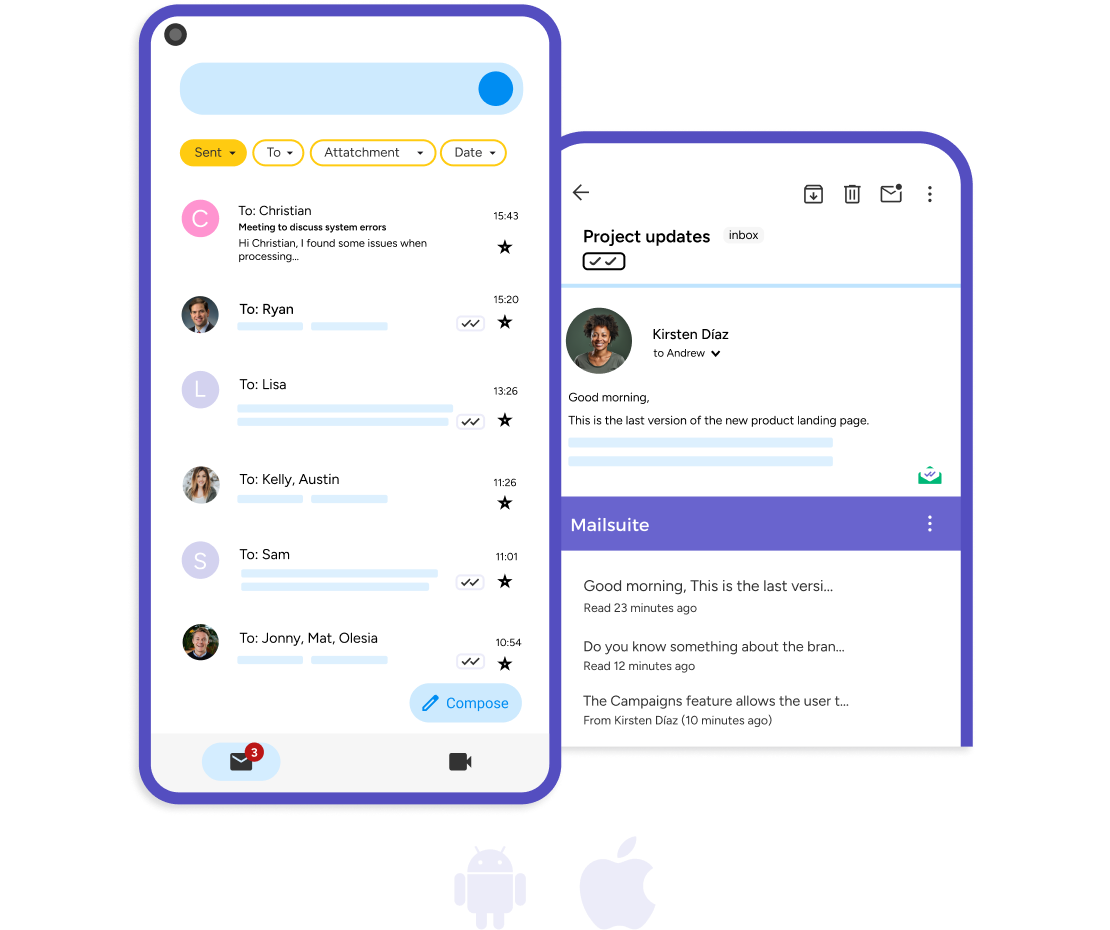
  • The only email tracker that integrates directly with the Gmail app
  • iPhone and Android compatible
  • Get real-time notifications and email open history
Get Mailsuite Add-on >>
4 out of 5 stars
+15.3K レビュー
利用者数 +3M ユーザー

プロフェッショナルに使われています

high performer badge users loves us badge capterra best value 2025 capterra shortlist badge
Grant Stead
Grant Stead Stead Global オーナー
このプロダクトは本当に素晴らしいです。多くの人に紹介しました。メールの送り方や使い方が完全に変わりましたね。
Matt Bottoms
Matt Bottoms Scottsdale Christian Academy ディレクター
返信が来るのかどうか、アドレスが間違っていてメールが届いていないのかを何日も待って悩む必要がなくなりました。
Jannet Skeelsm
Jannet Skeelsm United Real Estate Solutions(ノックスビル)エージェント
不動産エージェントとして、クライアントがメールを開封したタイミングを把握することはとても重要です。trackingシステムが必要な方には、これが最高の選択だと思います。

Unlimited email tracker for iPhone and Android

Mailsuite for mobile is available for both iPhone and Android and lets you take email tracking with you anywhere you go.

Get Mailsuite Add-on

Send tracked emails from the Gmail™ app

Mailsuite for mobile works directly in the official Gmail app. Send tracked emails directly from the Gmail app on your mobile device in just a few clicks with Mailsuite’s powerful tracking technology.

Get Mailsuite Add-on

See tracking data directly in the Gmail™ app

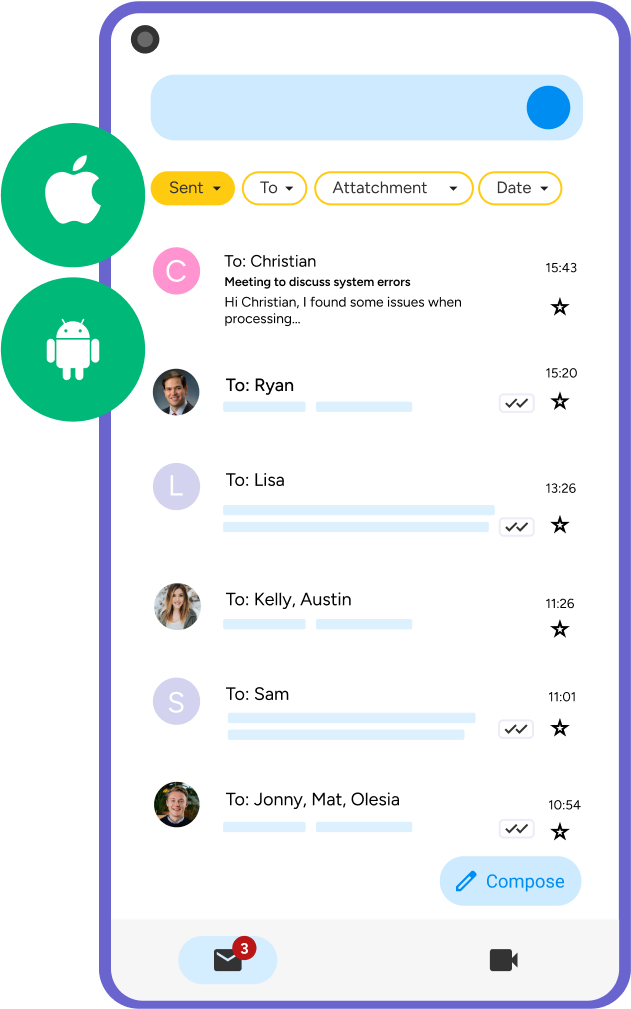
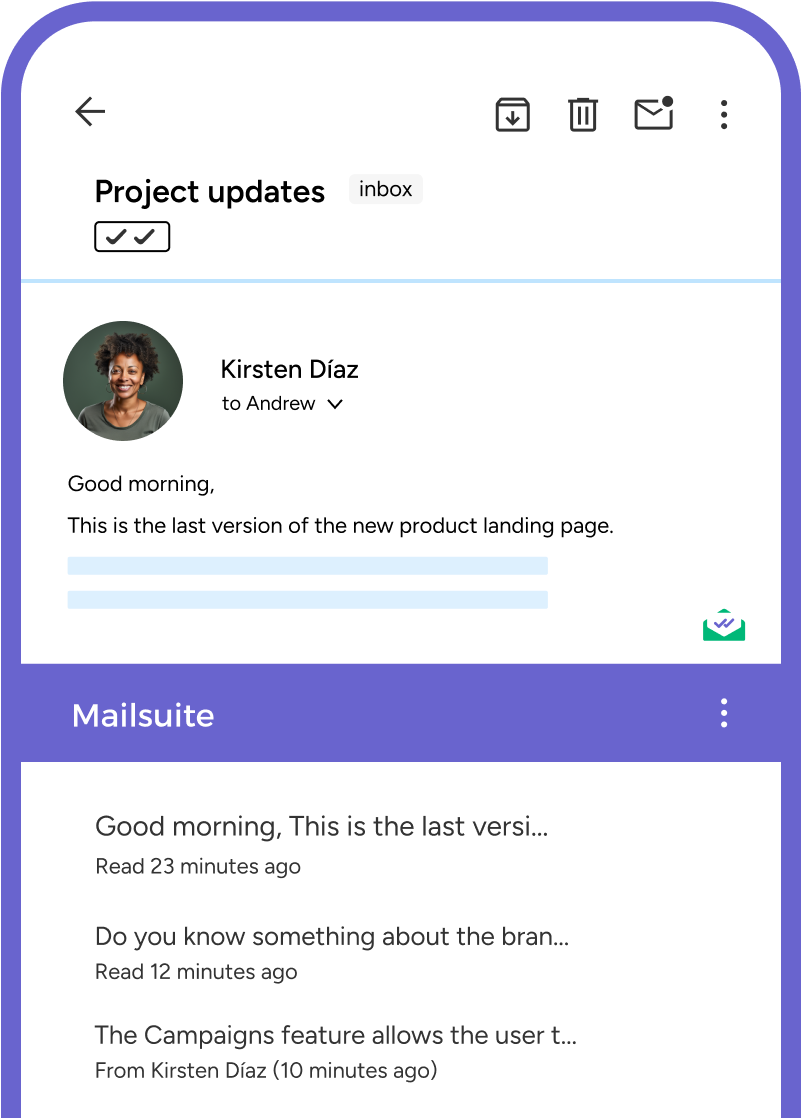
With Mailsuite for mobile, your email tracking data appears directly in the official Gmail app. Quickly see who reads your emails by looking for the double check marks next to them in your inbox. This is unique to Mailsuite.

Get Mailsuite Add-on

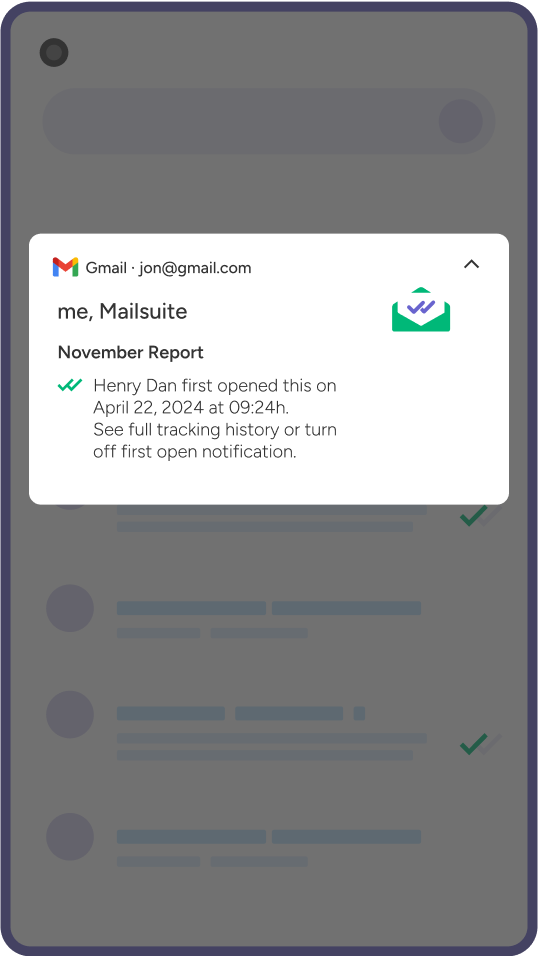
Get notifications to stay on top of your emails

Set up and receive notifications when someone opens your email. Real-time push notifications are available for mobile devices as well.

Get Mailsuite Add-on
あなたのニーズに合ったプランを選んでください
消費税・VATが適用される場合があります

Steps to Send a Tracked Email on Mobile

  • Step 1

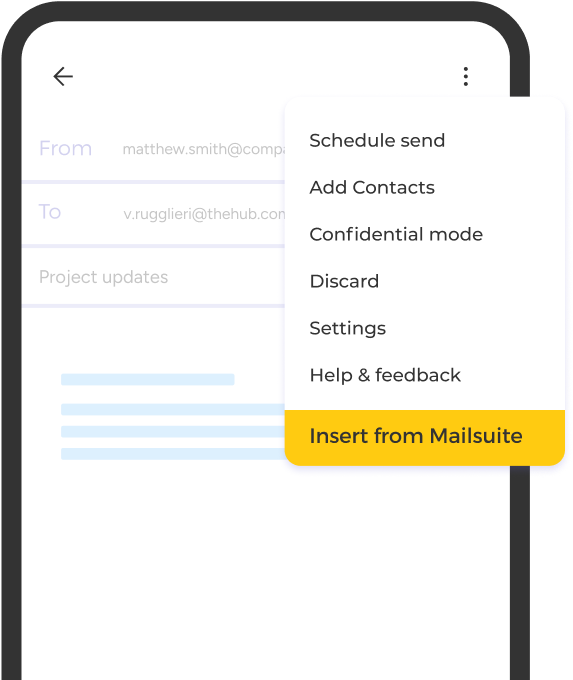
    Insert from Mailsuite

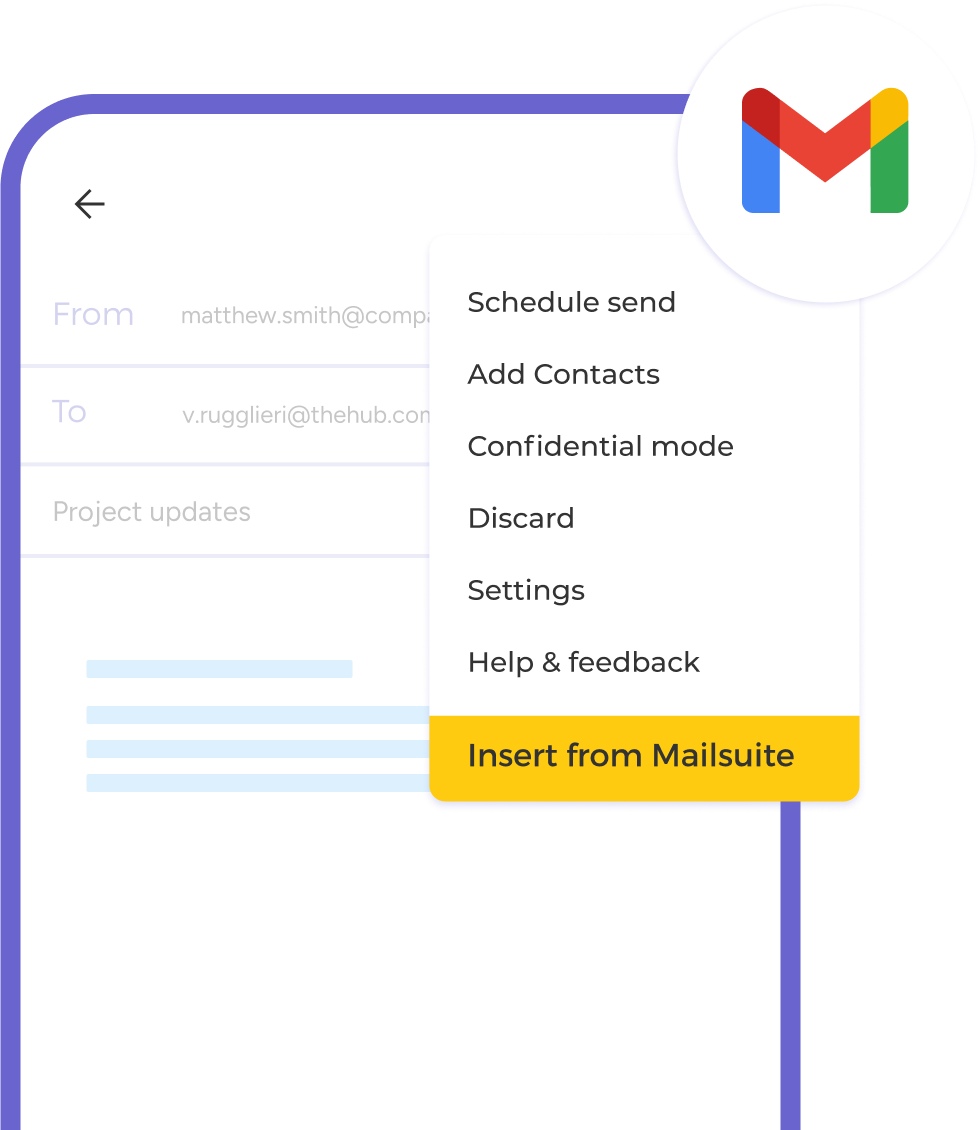
    In Gmail’s email composer, open the menu (3 horizontal dots) and select "Insert from Mailsuite".

    Insert from Mailsuite
  • Step 2

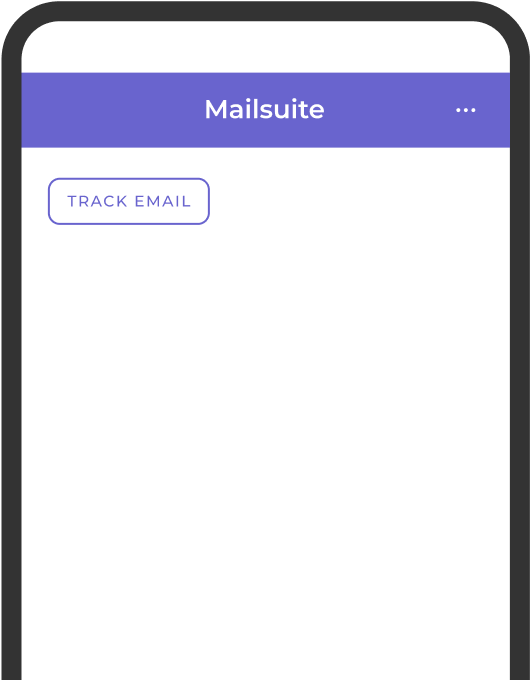
    Click Track Email

    After selecting "Insert from Mailsuite," enable email tracking by clicking "Track email".

    Click Track Email
  • Step 3

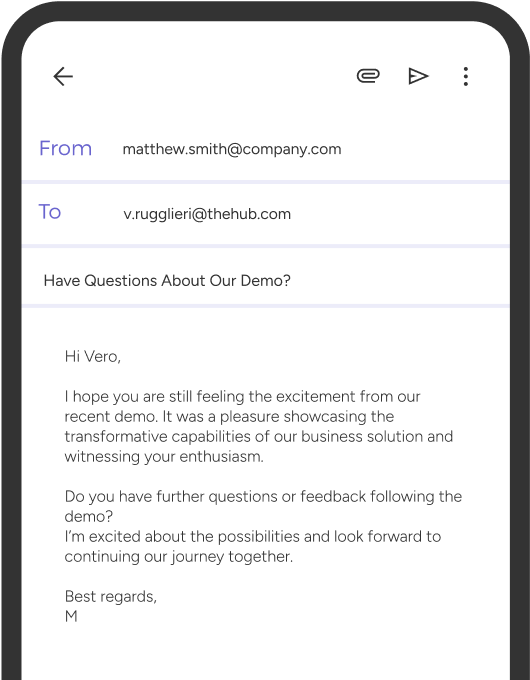
    Write and send your email

    Compose your email and click "Send" when you’re ready, just as you normally would.

    Write and send your email

その他にも多くの機能

Mailsuite automatically tracks every email you send, but that’s not all. Here are some of the other features you’ll get

Detailed tracking history

See when and how many times each of your emails have been opened right from your mobile device.

Real-time notifications

Get push notifications on your phone the minute someone opens your emails.

Keep your data safe

Mailsuite uses AES-256 encryption to protect your data, and Mailsuite never accesses the content of your emails.

Seamless Gmail integration

Mailsuite for mobile works directly in your Gmail app so you don’t need to install any other third-party apps.

Stay GDPR-compliant

Mailsuite is safe to use because it’s fully GDPR-compliant and safeguards your privacy.

Trusted by many

Over 2 million people use Mailsuite to track their emails and we proudly have a 4.4 rating in the Chrome Store.

FAQ

Mobile Email Tracking Questions, Answered

  1. How does Mailsuite’s mobile add-on work?

    Mailsuite for mobile brings Mailsuite’s powerful email tracking features to your mobile device, and you can install it for free from the Google Workspace Marketplace. It integrates directly with Gmail’s powerful features and adds email tracking on top of them directly in the Gmail app. Please note: You must have the Mailsuite Chrome extension installed in order to use Mailsuite for mobile.
  2. How can I see an email’s tracking history on my mobile phone?

    To see an email’s tracking history on your mobile phone, install Mailsuite’s Gmail add-on from the Google Workspace Marketplace. After it’s installed, you can see whether or not your emails have been opened by navigating to your Sent folder in the Gmail app on your phone. If there are two checks next to your email, it has been read!
  3. How can I install Mailsuite on my smartphone?

    To install Mailsuite on your mobile phone, open the Mailsuite add-on page in the Google Workspace Marketplace. Install it and follow the prompts to connect your email address. After that, all you need to do is restart the Gmail app on your phone and you’ll already have email tracking enabled!
  4. Does Mailsuite’s add-on work for any mobile device?

    Mailsuite’s add-on works for most Android and iPhone devices. However, it does not currectly work on the following devices: iPad, Android tablets, Samsung Fold Z (while unfolded/using tablet mode).
  5. Is email tracking safe?

    Yes, email tracking with Mailsuite’s mobile add-on is completely safe. Mailsuite never accesses the content of your emails and never shares or sells your data to third parties. In addition, the Mailsuite add-on is GDPR-compliant.
  6. Is Mailsuite free for mobile?

    Yes, the Mailsuite email tracking add-on is free for mobile users and it gives you access to unlimited email tracking.

プライバシー&セキュリティセンター

MailsuiteおよびMailtrackのサービスは、世界中の116,000人以上の有料サブスクライバーと企業に信頼されています.

もっと読む

3,000,000人以上のMailsuiteユーザーに参加しよう

無料でインストール>>